Automatically switching keyboard layouts based on the connected keyboard.
I type on two keyboards: the one on my MacBook and a NuPhy Air75 my girlfriend gifted me for Christmas. The one on my MacBook is Spanish ISO, and the external one is ANSI (it lacks Spanish question marks, our beloved ñ, the € symbol isn’t readily available, and everything is kinda moved around).
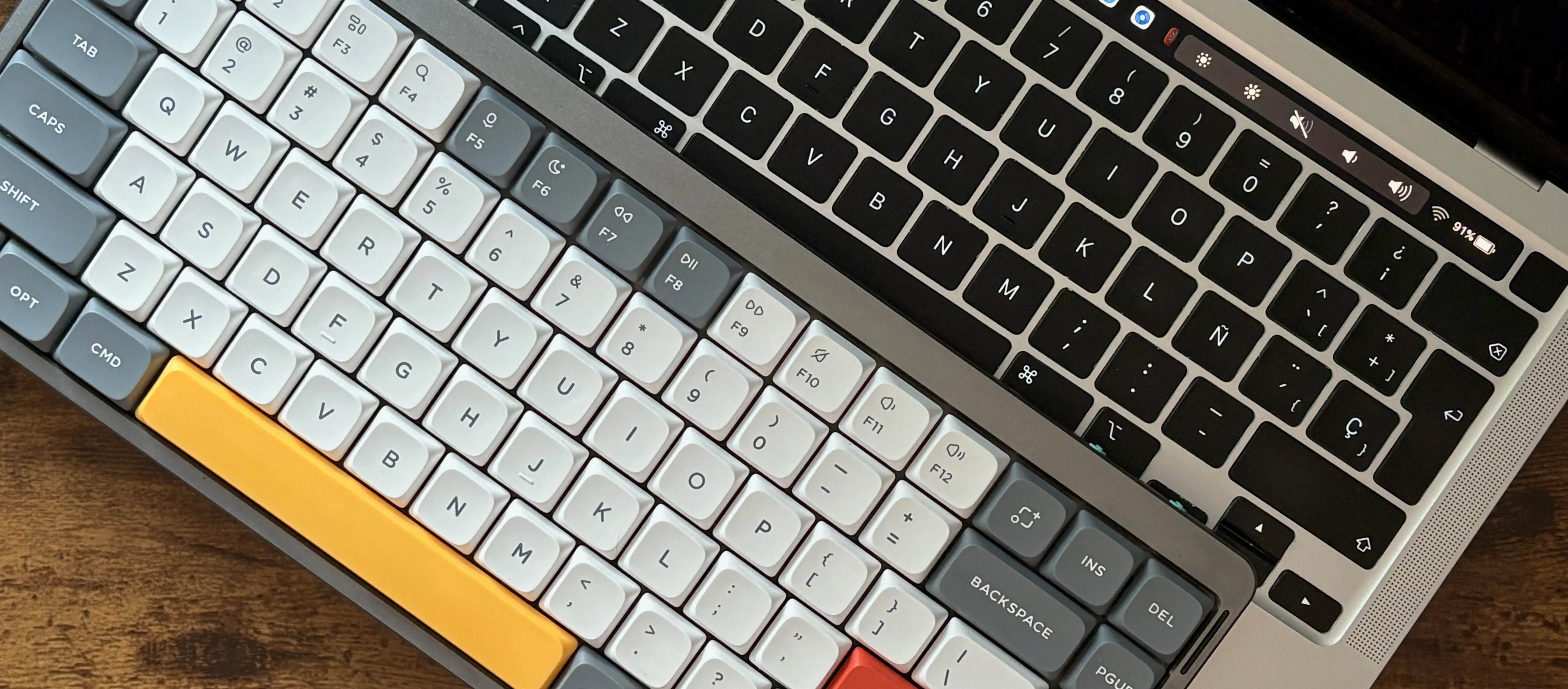
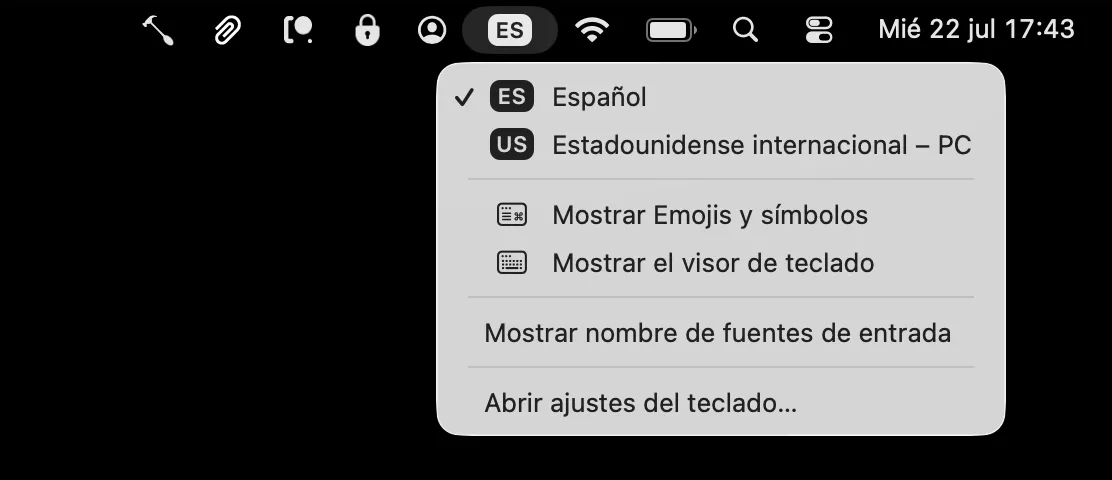
Their layouts do not match. So every time I sat down at my desk or picked up the laptop, I had to go to the menu bar and switch layouts by hand. Twice a day, every day, forever. The perils of modern life.
On a related note, I have been using Hammerspoon for quite a few years. It’s a wonderfully small tool that allows you to run small Lua scripts to tweak almost any aspect of how macOS behaves. I have mentioned here before some other cool things that you can do with it, like customising middle-button scroll on macOS.
As it turns out, Hammerspoon can fix my little bilingual problem in about twenty lines. This script checks whether the keyboard is connected, and switches the layout when the answer changes:
-- SWITCH KEYBOARD LAYOUT DEPENDING ON WHETHER THE NUPHY IS CONNECTED

local deviceName = "NuPhy Air75 V2-1"
local whenAttached = "com.apple.keylayout.USInternational-PC"
local whenDetached = "com.apple.keylayout.Spanish-ISO"
local pollInterval = 4

-- nil means "not checked yet", so the first check always applies a layout
local attached = nil

local function deviceIsAttached()
    local out = hs.execute("/usr/sbin/ioreg -c IOHIDInterface -r -d1 -k Product")
    return out ~= nil and out:find(deviceName, 1, true) ~= nil
end

local function syncLayout()
    local now = deviceIsAttached()
    if now == attached then return end
    attached = now
    hs.keycodes.currentSourceID(now and whenAttached or whenDetached)
end

syncLayout()

-- these must stay global, or the garbage collector stops them
keyboardLayoutTimer = hs.timer.doEvery(pollInterval, syncLayout)

keyboardLayoutWake = hs.caffeinate.watcher.new(function(event)
    if event == hs.caffeinate.watcher.systemDidWake then
        attached = nil -- force a re-apply, the keyboard may have changed while asleep
        syncLayout()
    end
end)

keyboardLayoutTimer:start()
keyboardLayoutWake:start()
Save it as ~/.hammerspoon/keyboard.lua and add require ("keyboard") to your init.lua.
A few notes on why it looks like this. Hammerspoon has no Bluetooth watcher, so the script has to poll, and the question is what to poll. system_profiler SPBluetoothDataType works but takes about 150 ms and makes you parse the “Connected” and “Not Connected” section headers. The ioreg call above takes 25 ms, which is cheap enough to run, and it has the nice side effect of catching the keyboard over USB too, since a wired keyboard shows up in the same place.
The layout only changes on a transition, never on every tick. If you pick a different layout by hand it stays until you next plug or unplug the keyboard, instead of being overwritten {pollInterval} seconds later. The wake watcher is there because unplugging the keyboard while the Mac is asleep would otherwise go unnoticed until the next poll.
And the two globals are load-bearing. Hammerspoon timers and watchers are garbage collected when nothing references them, so making them local produces a script that works for a few seconds and then stops.
Addendum: finding the values for your own layouts.
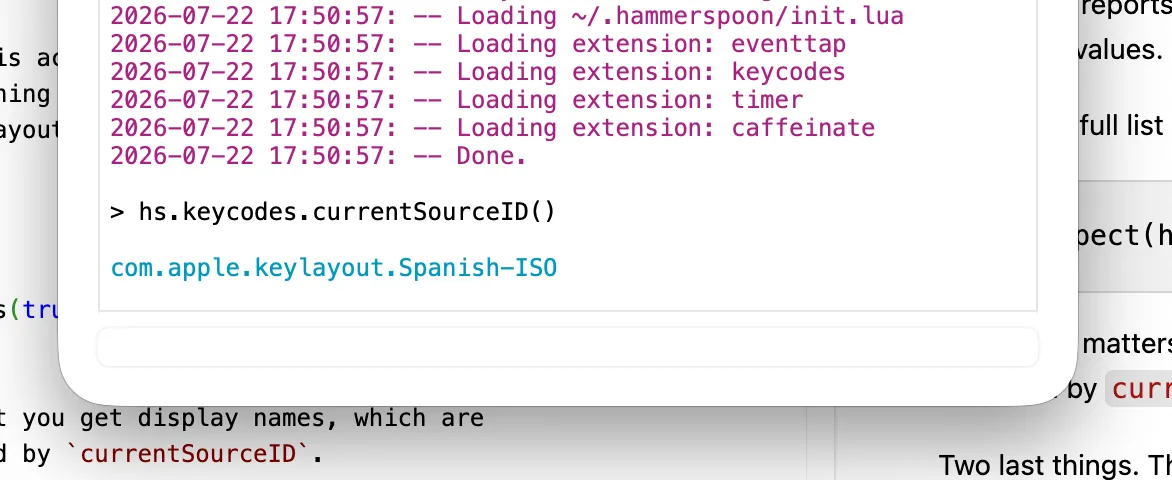
If you want, say, Latin American Spanish and German instead, you need their input source IDs. Do not guess them. They mostly follow the pattern com.apple.keylayout. plus the layout name with spaces removed, but the exceptions are unpredictable: “Latin American” collapses into LatinAmerican, while “Spanish - ISO” keeps its hyphen as Spanish-ISO. There are also near-duplicates that are genuinely different layouts, like German and German-DIN-2137. And a wrong ID throws no error, it just does nothing, which is a miserable thing to debug. The reliable way is to switch to the layout you want by hand, then run this in the Hammerspoon console:
hs.keycodes.currentSourceID()It prints the ID of whatever is active right now, and it is the same API the script writes to, so anything it reports back is guaranteed to work as an input. Do it once per layout and you have both values.
To see the full list instead:
hs.inspect(hs.keycodes.layouts(true))The true is important: without it you get display names, which are localised and are not accepted by currentSourceID.
Two last things. The layout has to be enabled in System Settings before any of this works, since a valid ID for a layout you never added will not switch to it. And non-Latin input methods like Pinyin or Hangul are not com.apple.keylayout.* at all, but com.apple.inputmethod.* (check this out for some examples). I expect them to work fine here, but you will definitely not guess their names.