Two ways to work with JSON in SAP Integration Suite
Outside the more conservative corners of enterprise software, REST has won. Most of the APIs you will integrate with today speak JSON over HTTP and describe themselves with an OpenAPI specification (or Swagger, as it was called until fairly recently). SOAP is not dead, and in some domains it is still the sensible choice: when you want a rigid contract and predictable, schema-driven validation, a WSDL gives you exactly that, which is why a good deal of ERP, banking and insurance back-ends have stayed with it. But on the grand scheme of things, those are the exception now. For most new integrations over the Internet, what travels on the wire is JSON.
You would think, then, that producing JSON inside SAP Integration Suite would be the path of least resistance. In my experience it often isn’t. Part of why this is true has to do with the tooling itself: it has native support for XPath, can load WSDL files and can route executions based on XPath conditions. As a result, plenty of consultants reach for the same XML-shaped workflow they have always used, build the message as XML and convert it to JSON at the very end. And then they spend the rest of the day repairing what the conversion broke. I have done it myself more than once.
But there are better ways, and we will explore them in this post. I want to show both approaches: the traditional, XML-based one, and the workflow that natively uses an OpenAPI schema.
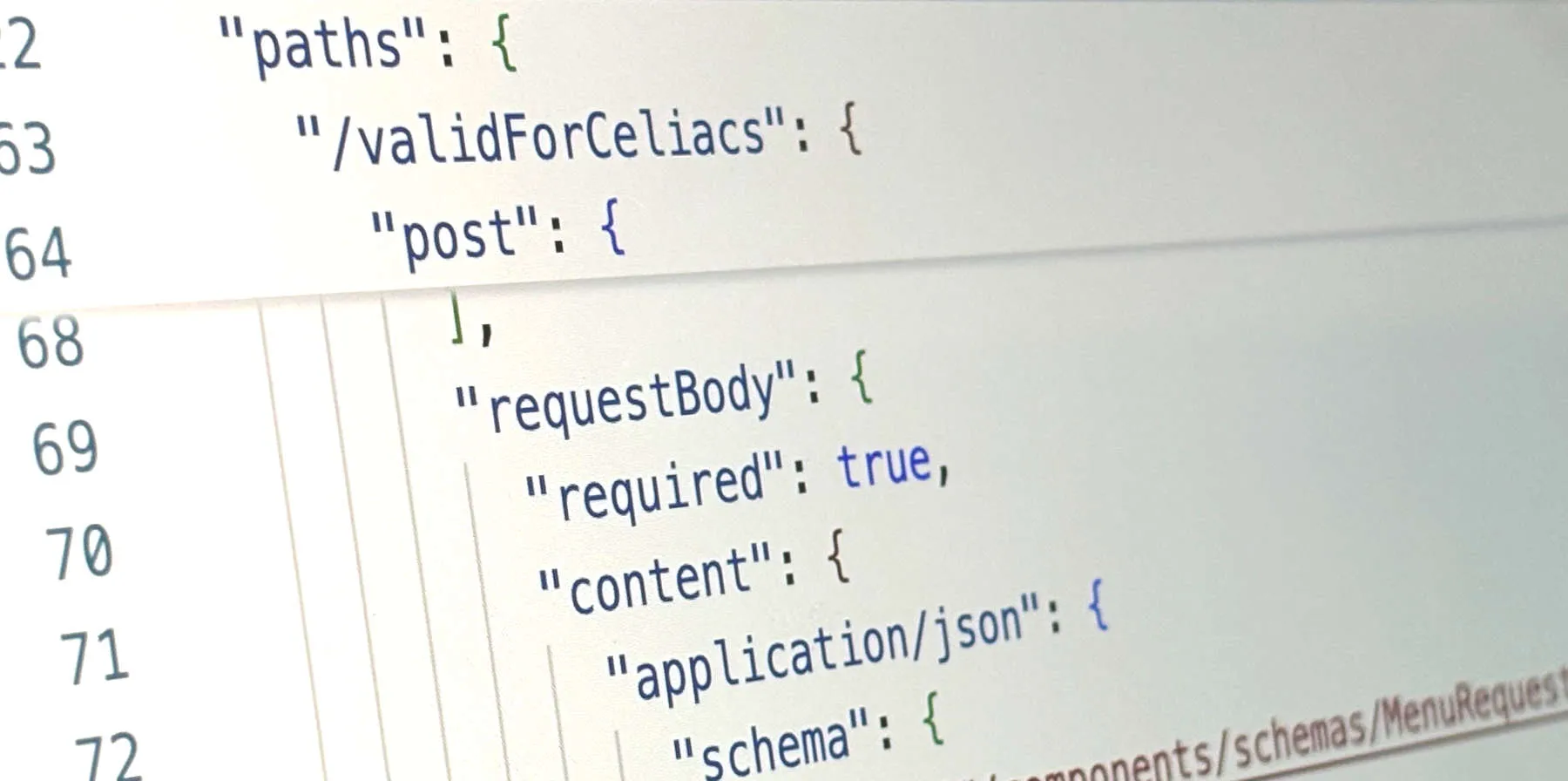
I will lean on one small example throughout. Imagine we need to consume a REST API that receives a JSON request with a restaurant menu and returns only those dishes suitable for a given diet (vegan, coeliac, and so on). The request carries a restaurant name and a list of dishes, and each dish has a name, calories, a price, a few boolean flags and a list of allergens. The example provided by the API owner looks like this in the OpenAPI document:
{
  "data": {
    "restaurantName": "string",
    "dishes": [
      {
        "name": "string",
        "calories": 0,
        "priceEur": 0,
        "containsEggs": true,
        "containsDairy": true,
        "containsMeat": true,
        "containsFish": true,
        "containsGluten": true,
        "availableForDelivery": true,
        "allergens": [
          "string"
        ]
      }
    ]
  }
}
There is nothing unusual about it, which is exactly the point. This is the easiest functioning payload imaginable for our imagined scenario. And yet, we will learn that the XML-based approach requires about ten times more work and time than working with JSON natively. Let’s begin.
Option A. The long way round.
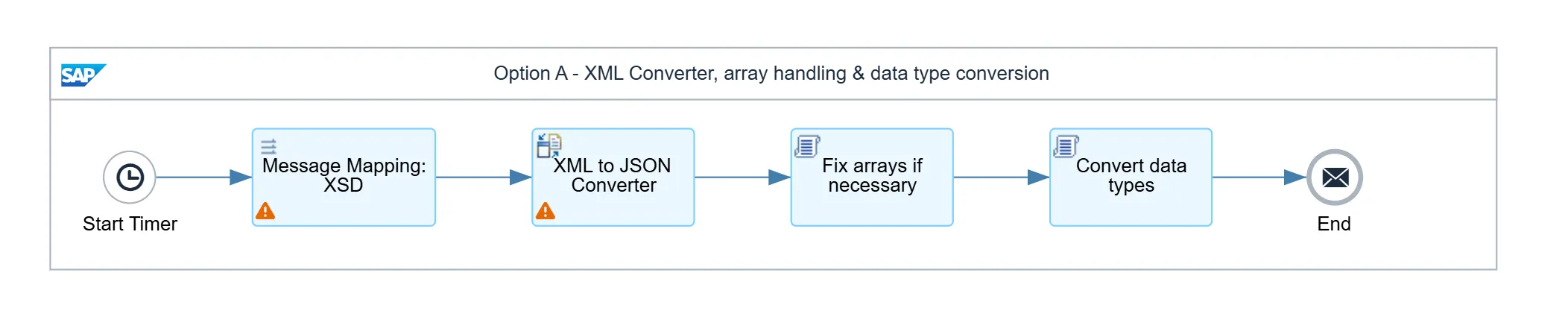
The first approach is the one most people already have in their muscle memory. You build the message as XML inside a Message Mapping, using an XSD as the target structure, and then pass the result through the XML to JSON Converter.
Before anything else, notice where that XSD comes from: you write it, by hand, field by field. It does not matter that the team who owns the API has already published a complete and accurate contract for their service. Working with XMLs needs an XSD, and coming up with the right schema is your problem. Here is the part of ours that describes a dish:
<xsd:element name="dishes" minOccurs="1" maxOccurs="unbounded">
  <xsd:complexType>
    <xsd:sequence>
      <xsd:element name="name" type="xsd:string" minOccurs="1" maxOccurs="1" />
      <xsd:element name="calories" type="xsd:string" minOccurs="1" maxOccurs="1" />
      <xsd:element name="priceEur" type="xsd:string" minOccurs="1" maxOccurs="1" />
      <xsd:element name="containsEggs" type="xsd:string" minOccurs="1" maxOccurs="1" />
      <xsd:element name="containsFish" type="xsd:string" minOccurs="1" maxOccurs="1" />
      <xsd:element name="allergens" type="xsd:string" minOccurs="1" maxOccurs="unbounded" />
    </xsd:sequence>
  </xsd:complexType>
</xsd:element>
(I have left a few of the flags out to keep it short.) Every field is an xsd:string, including calories, priceEur and the booleans, because XML has no opinion about types: everything between two tags is text. (Sure, you can use W3C XSD datatypes, but that is totally irrelevant if we want to convert our message to JSON later). Hold on to that detail, because it comes back around in a moment.
Run a message through the mapping and you get tidy XML:
<?xml version="1.0" encoding="UTF-8"?>
<ns0:root xmlns:ns0="http://avvale.com/FoodValidator">
  <data>
    <restaurantName>La Granada</restaurantName>
    <dishes>
      <name>Salmon with potatoes and broccoli</name>
      <calories>542</calories>
      <priceEur>15.54</priceEur>
      <containsEggs>false</containsEggs>
      <containsFish>true</containsFish>
      <allergens>nitrites</allergens>
      <allergens>fish</allergens>
    </dishes>
  </data>
</ns0:root>
Then the converter turns it into this:
{
  "root": {
    "data": {
      "restaurantName": "La Granada",
      "dishes": {
        "name": "Salmon with potatoes and broccoli",
        "calories": "542",
        "priceEur": "15.54",
        "containsEggs": "false",
        "containsFish": "true",
        "allergens": [
          "nitrites",
          "fish"
        ]
      }
    }
  }
}
And this is where the day starts to go. Two separate things are wrong here.
The first is the data types. calories came out as "542", priceEur as "15.54", and every boolean as a quoted string like "false". The converter could not have done otherwise: the XML it read was all text, so the JSON it wrote is all text. Any receiver that validates against a schema (and a JSON API worth integrating with does) will reject the lot.
The second is subtler and worse. Nodes that are supposed to be composite (I mean arrays) in the API contract are turned into simple nodes. This happens every time that a node has a single ocurrence in an XML: the XML converter does not know any better. In our case, dishes came out as a single object, but allergens, a few lines below, came out as an array. The two are declared identically in the XSD, both maxOccurs="unbounded", and still they ended up as different shapes. The converter decides between array and object by counting the elements actually present in the document in front of it: there were two allergens, so it built an array; there was one dishes, so it flattened it into an object.
That is the one that catches people in production. Everything passes during testing because your sample menu happens to have three dishes. Then a restaurant with a single dish sends a request, the dishes array turns into an object without warning, and the receiver rejects the message (or, on a bad day, accepts it and does something wrong with it).
Neither problem repairs itself, so the iflow grows. You add a step to force the single-element cases back into arrays, and another to walk the whole document converting each value to the type it should have been. And this conversion is not a simple matter of running through each field and applying the required function (.toInteger(), .toBoolean(), etc.), because Groovy will fail if a single node is empty, null, or cannot be cast into the required data type. So now you have two Groovy scripts, and both are now code that you own, test, and have to keep in step with the structure every time it changes. After all of that, you finally have what you wanted from the start:
{
  "root": {
    "data": {
      "restaurantName": "La Granada",
      "dishes": [
        {
          "name": "Salmon with potatoes and broccoli",
          "calories": 542,
          "priceEur": 15.54,
          "containsEggs": false,
          "containsFish": true,
          "allergens": [
            "nitrites",
            "fish"
          ]
        }
      ]
    }
  }
}
Correct at last: dishes is an array, the numbers are numbers and the booleans are booleans. Several steps and a hand-written schema to get there.
The short way
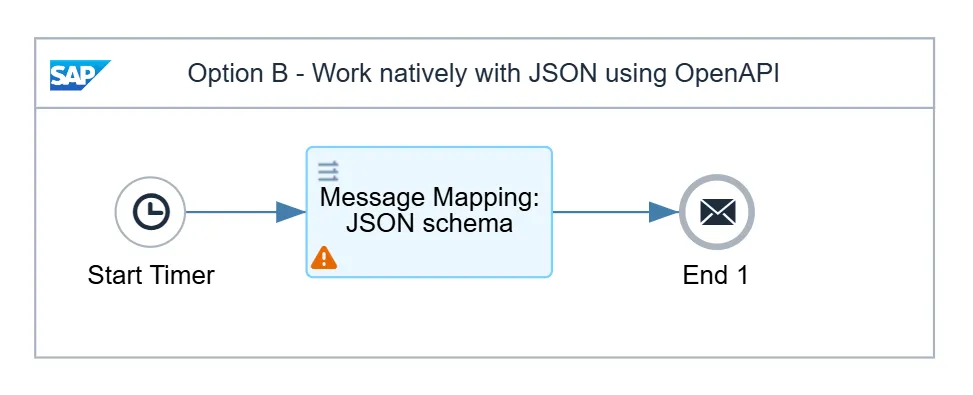
The second approach begins with something you very likely already have: the API’s OpenAPI specification, the same document the previous approach made you reverse-engineer into an XSD. The API owner will most likely send you a link where you can see something like this:
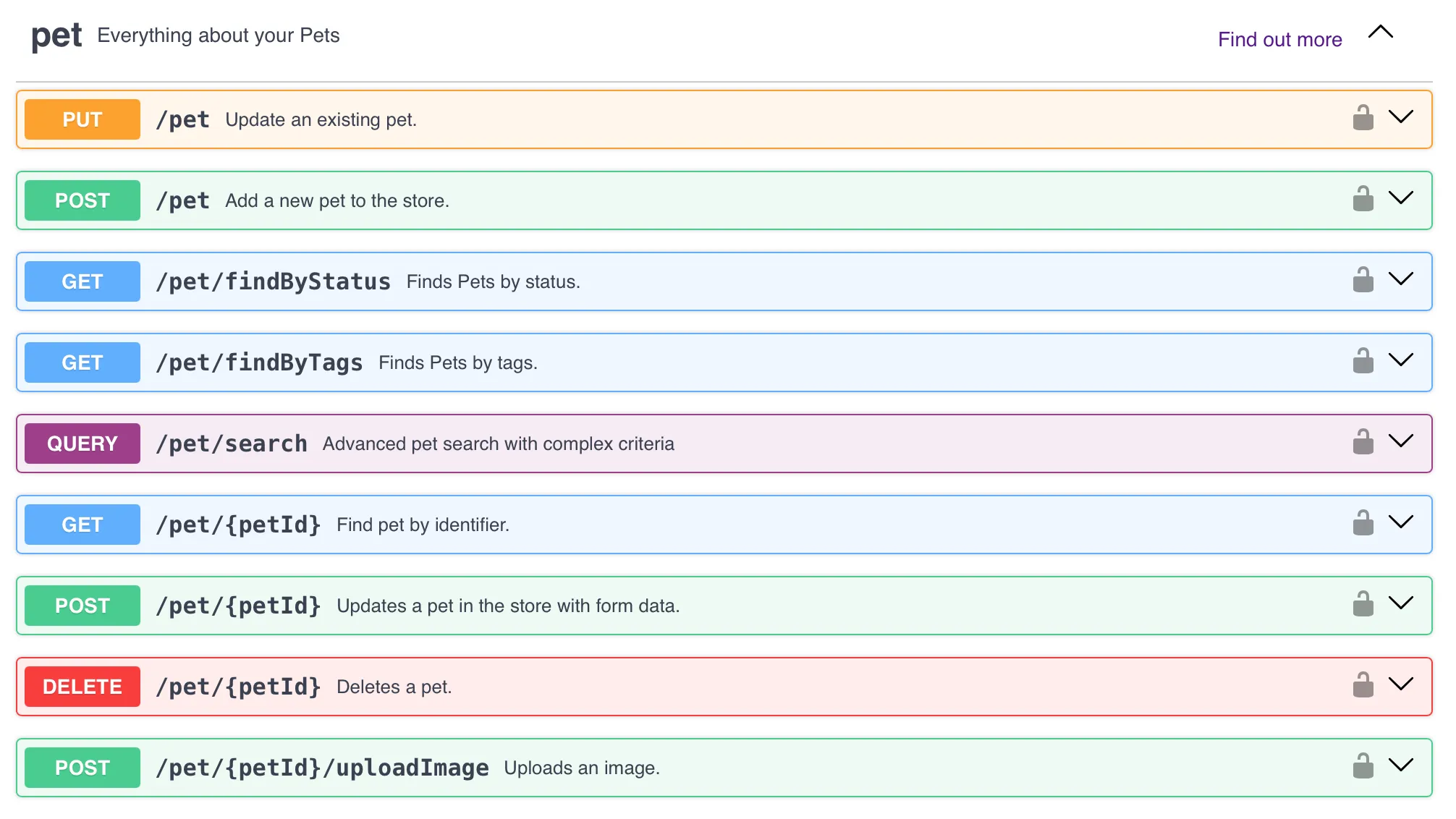
You can download the schema itself, as a JSON or a YAML, from that very page and use it directly with no further changes in your integration environment. Whoever wrote it has already told you the types and the cardinalities. Here is the dish definition from ours:
"Dish": {
  "type": "object",
  "properties": {
    "name":         { "type": "string" },
    "calories":     { "type": "integer" },
    "priceEur":     { "type": "number" },
    "containsEggs": { "type": "boolean" },
    "containsFish": { "type": "boolean" },
    "allergens":    { "type": "array", "items": { "type": "string" } }
  }
}
calories is an integer, priceEur a number, the flags are booleans, and allergens is explicitly an array. You did not write any of this; the people who built the service did.
Integration Suite lets you use that specification directly as the target of a Message Mapping. It reads the schema along with its cardinalities, so dishes is an array because the contract says so, regardless of how many happen to arrive on a given day. The single-element trap from the other approach cannot occur.
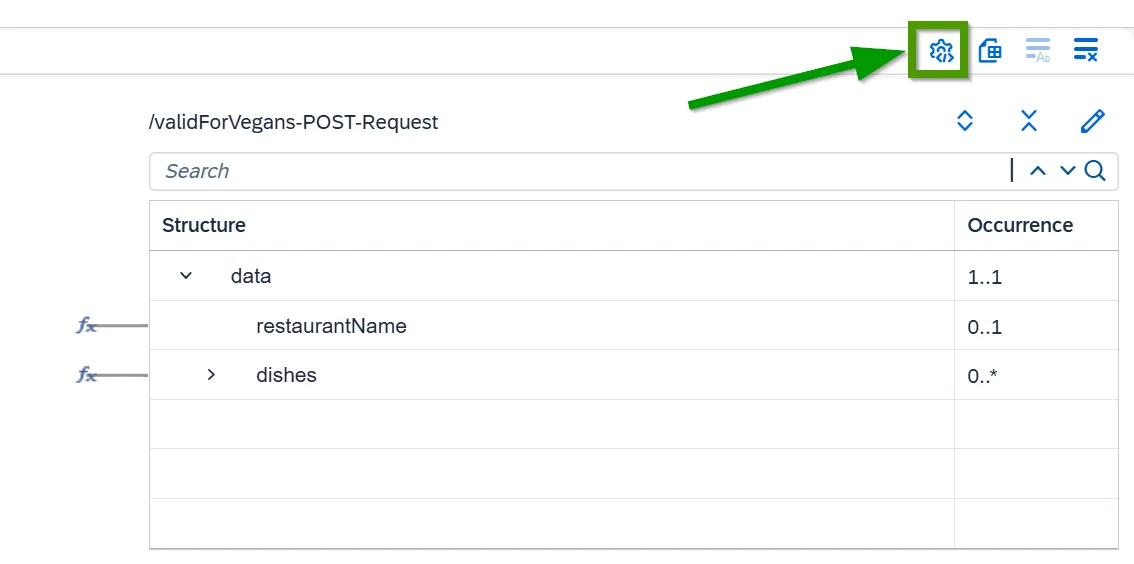
Types are dealt with in the mapping settings, behind the gear icon in the corner. Under Basic Data Type Handling you tell the mapping to emit each value as the type the schema declares, rather than wrapping it in quotes:
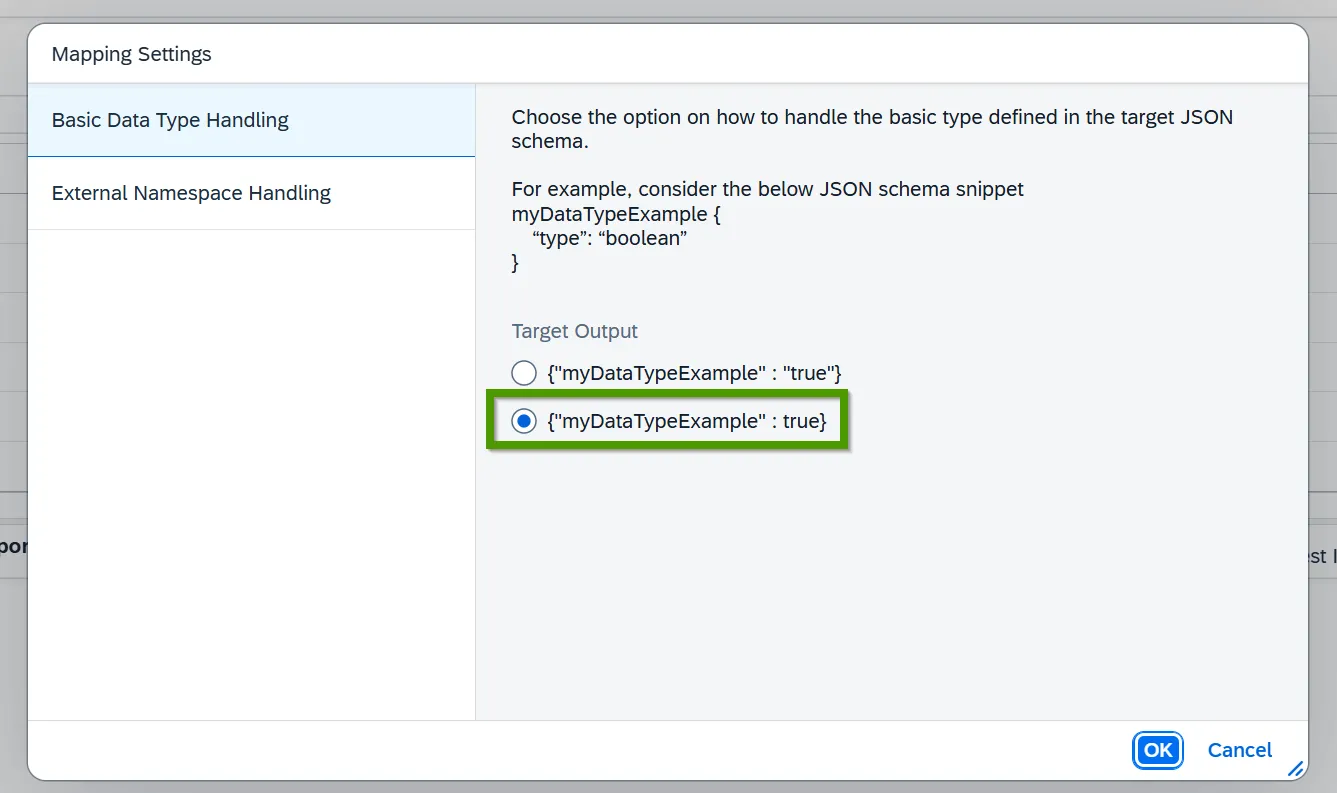
You set this once. From then on a boolean leaves the mapping as true and a number as 542, with no script involved. The whole job is a single Message Mapping that reads a document the API owner already handed you and produces exactly the JSON the receiver expects. The one difference from the laborious version is that the properties come out in a different order, which JSON does not care about and neither should you.
When the long way is still worth it
I am not claiming the first approach is never the right one. If the only contract you have been handed is an XSD, or the same flow genuinely has to deal in XML for another leg of the journey, then building XML and converting is fair enough. But that is not the usual situation. Usually the service you are calling has a JSON schema, you already have it or can ask for it in a single message, and every hour spent rebuilding it as an XSD and patching the converter’s output afterwards is an hour spent on a problem you made for yourself.
So the next time you are about to drop an XML to JSON Converter into a flow out of pure habit, check your inbox first. If there is an OpenAPI document sitting in it, the short way really is shorter.